Tabs
Add tabs! Get access to any settings, folders or disks on PC from the same start point.

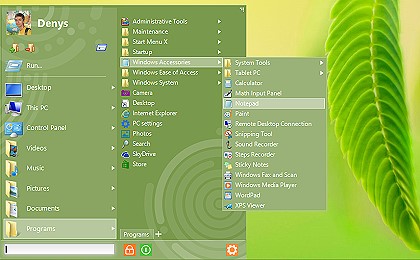
Start Menu 8 will return a convenient way of launching programs
and shutting down your computer.
Start Menu 8 is special! We never tried to replicate the ugly menu of Microsoft Windows.
Start Menu 8 is a revolutionary UI product!
Over 12 million professionals have already chosen it. Just install it to see why!

Add tabs! Get access to any settings, folders or disks on PC from the same start point.

Start Menu 8 will help you easily turn your PC off right from the menu or launch a delay timer.

This solution enables you to combine the use of a mouse and a touch screen on tablets.

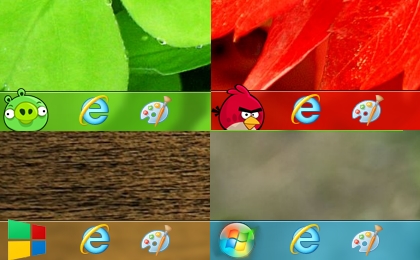
The menu contains a Start Button for Windows 8 with tons of cool skins!

Navigate the tabs (e.g., MTK , FRP , Userdata ) and choose the specific operation you want to perform.
For Xiaomi device users, the tool includes a feature specifically for unlocking a locked Mi Cloud account, freeing the device for new use.
While specific steps vary by device, general usage involves:
Removes Xiaomi account locks on supported Qualcomm devices. 3. Universal Functions Mtk Gsm Sulteng Tool V1.3.9
The program packs essential maintenance and bypass functions into a highly simplified graphic user interface (GUI). Some of its standout capabilities include:
(Broad support across Hot and Spark lineups) System Requirements
The V1.3.9 update brings a refined user experience and broad compatibility across popular smartphone brands including Oppo, Vivo, Realme, Xiaomi, Samsung, and Infinix. 1. User Lock Removal Navigate the tabs (e
: Open the MTKGsmSultengTool.exe . Some versions may require a login; Techpoint220 notes that common public credentials are often Techpoint220 (Username) and user (Password).
The is a free, specialized Windows-based utility developed by Hary Sulteng for managing and repairing mobile devices powered by MediaTek (MTK) chipsets . It is widely recognized in the GSM community for its "one-click" simplicity in bypassing security locks. Key Capabilities
Before downloading, ensure your setup meets the minimum specifications to avoid connection drops during critical flashing operations: The is a free
The V1.3.9 update brings refined stability and broader support for modern MTK-based smartphones, including brands like Oppo, Realme, Vivo, Xiaomi, and Samsung.
The tool is highly effective because it targets the chipset level rather than just the brand. It supports a vast array of , MT68xx (Dimensity), and older MT65xx series processors found in: Xiaomi/Redmi: Note 8 Pro Go to product viewer dialog for this item. Go to product viewer dialog for this item. Go to product viewer dialog for this item. , Note 11 (MTK variants). Oppo/Realme: Go to product viewer dialog for this item. Go to product viewer dialog for this item. , A1k, Reno series, Realme C series. Vivo: Go to product viewer dialog for this item. Go to product viewer dialog for this item. , Y17, V-series. Samsung: Galaxy A03s Go to product viewer dialog for this item. , A12 (MTK), M01s. Technical Requirements and Installation
A Series (e.g., A5s, A12, A15, A1k) and older Reno models.
As this is a third-party "crack" or free utility, it is often flagged by antivirus software as a "Trojan" or "Malware." While frequently used in the repair community, you should run it in a controlled environment (like a Virtual Machine) and always before performing any operations to avoid losing your device's IMEI and signal.